











The most avoidable trading mistakes often happen before the market has a chance to prove you wrong: the wrong pair, the wrong side, an order larger than the available liquidity, or a matched trade mistaken for a completed settlement.
ℹ️ That discipline matters even more as digital assets move toward broader institutional use. In a 2026 survey by Coinbase and Ernst & Young LLP’s of 351 institutional decision-makers, 49% said recent volatility had increased their focus on risk management, liquidity, and position sizing.
Silvana Terminal is built for this new trading environment.
Bringing market data, the private orderbook, order controls, and execution progress into one workspace creates a clear path from decision to settlement.
1. Start With the Right Market
It sounds obvious – until several markets are open and price movements begin competing for your attention.
Start with the pair shown in the market header. The order matters.
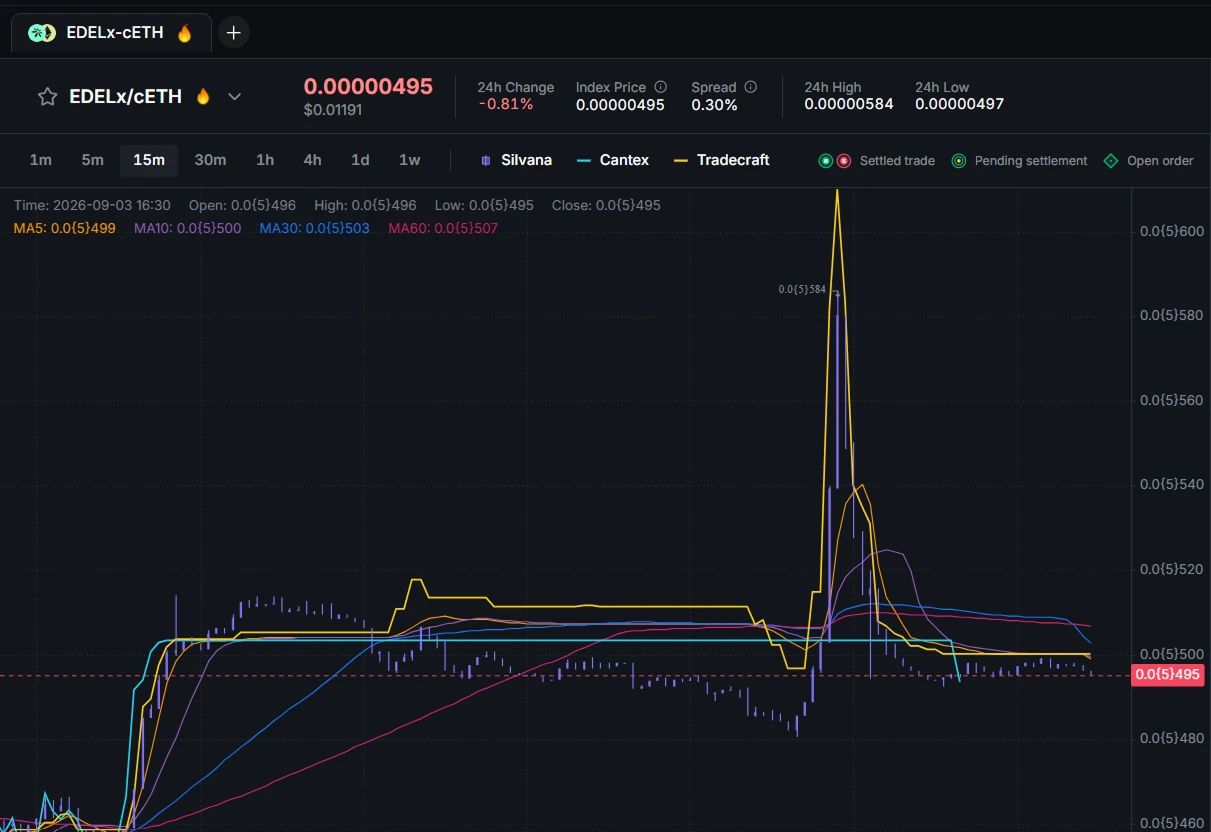
In EDELx/cETH, for example, EDELx is the asset being priced, and cETH is the asset used to quote that price.
✅ Silvana’s market selector makes this check easier. You can:
• search available markets;
• filter markets by asset;
• pin frequently traded pairs to Favorites;
• explore markets marked as Hot;
• keep several markets open in separate terminal tabs.
2. Read the Market Beyond the Chart
The chart tells you how the price arrived here. The orderbook tells you what is available now.
Silvana Terminal keeps both in view, so you do not have to make an execution decision based on a single headline price. Use the chart timeframes to understand recent movement, then compare that movement with three live areas:
| Area | What to check |
|---|---|
| Order Book | Current bids, asks, prices, and quantities |
| Trades | Prices and sizes of recently executed trades |
| Live Activity | The latest market-side activity as it happens |
✅ Do not let a dramatic candle make the decision for you. Compare the chart with the orderbook and recent trades before choosing how to enter.
Explore Silvana Markets to compare available markets and get a clearer picture of current market activity.
3. Check Your Matching Settings
Price and order type are only part of the execution decision.
⭐ In Silvana Terminal, LP-only matching is enabled by default, helping your order match with liquidity providers that support the required DvP settlement flow.
You can still choose between Market and Limit depending on whether immediate execution or price control matters more – but before submitting, check the LP-only setting alongside your price, amount, and Time in Force.
4. Review the Amount Before You Confirm
The order form already gives you most of the information you need. Use it.
The percentage slider is useful for quickly sizing an order, but always read the final amount once more before confirming.
And compare your order size with the liquidity visible in the orderbook. Having sufficient balance does not automatically mean there is sufficient liquidity at the price you want.
5. Don’t Stop at “Matched”
Before you place an order, know what comes next. In Silvana, matched does not mean settled: matching happens off-chain, while final settlement continues through the DvP flow.
After placing the order, follow it through the Activity Panel, where you can check:
- Open Orders
- Order History
- Settlements
- Trade History

✅ If further action is needed, the Terminal will show it directly. A trade is complete only when the settlement reaches Settled status.
Trade With More Context
Trade with a clearer view of every step: from market decision to final settlement – all within Silvana Terminal!
Ready to explore it yourself? Open Silvana Terminal and put the checklist into practice.
For step-by-step instructions, read the Terminal documentation. For a deeper look at what happens behind each trade, continue with Matching and Execution and Settlement.